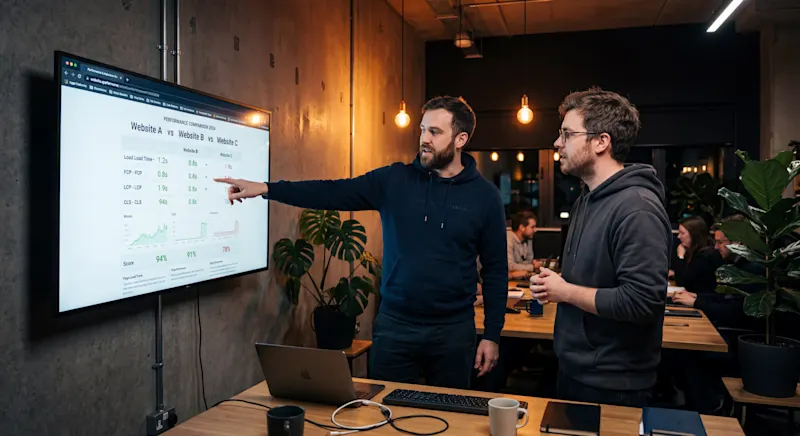
The platform a business chooses to build its website on is not a design decision or a development convenience. It is an SEO decision, and the consequences compound over months and years in ways that are often invisible until organic traffic starts moving in the wrong direction. The custom website vs CMS SEO question has no single right answer, but it does have better and worse answers depending on the specific business context, content volume, and performance requirements of a given site.
In 2026, page experience pass rates, server-side rendering quality, Answer Engine Optimization readiness, and total cost of ownership all factor into which architecture wins in competitive organic search. Zero-click searches now account for 69 percent of all queries, and AI Overviews reduce click-through rates for traditional organic listings by 34.5 percent when they appear. That environment rewards sites whose technical infrastructure allows content to be extracted cleanly, loaded instantly, and cited accurately by large language models. The underlying platform is either an accelerant or a ceiling for all of that.
The patterns across builds that delivered and those that failed tell a clearer story than any benchmark comparison. The custom website vs CMS SEO debate matters most not in the abstract, but at the specific inflection points where rendering model, configuration discipline, and content governance intersect. Secondary considerations running through that analysis include Core Web Vitals performance, JavaScript rendering failures, and headless CMS architecture, alongside total cost of ownership and structured data readiness.
The Platform Decision That Shapes Everything Downstream
Most businesses make the platform decision early in a project, when the pressure is on timeline and budget rather than long-term technical performance. A developer recommends WordPress because it is familiar, a designer pushes for Webflow for its clean visual output, and a founder picks Wix because it launched quickly. None of those reasons are wrong, but none of them account for how the platform will behave when Googlebot shows up.
The platform choice determines the rendering model. The rendering model determines whether Googlebot sees fully assembled HTML on the first request or waits in a rendering queue for JavaScript to execute. That wait can last days. During that window, pages are indexed as thin content, which triggers algorithmic demotion before the site has had a chance to compete.
A useful way to think about this is the difference between a pre-assembled report and one that requires a researcher to compile it on request. The pre-assembled version is available instantly, read in full, and acted upon, while the compiled-on-request version, however rich, gets abandoned if the researcher is slow. Googlebot behaves the same way. Static, pre-rendered HTML is the pre-assembled report, while a client-side rendered React application is the compiled-on-request version with a sometimes very slow researcher.
For businesses that have not yet audited how their current platform handles crawling and rendering, a structured SEO audit services review is the fastest way to identify whether the architecture is working with or against organic performance.
What the Performance Data Says in 2026
The performance divide between architecture types in 2026 is measurable, consistent, and directly tied to ranking outcomes. Understanding where each platform category sits on the performance spectrum is the prerequisite for making an informed architecture decision.
Core Web Vitals Pass Rates by Architecture
Google's three Core Web Vitals metrics define the baseline for competitive organic visibility. Only 42 percent of all sites pass all three metrics simultaneously on mobile in 2026. Desktop fares slightly better at 51 percent. The variation by architecture type is significant:
Hand-coded static sites built on modern JavaScript frameworks pass page experience benchmarks at a rate of 61 percent
Standard WordPress installations without optimization pass at 40 to 60 percent, requiring sustained engineering effort to stay in range
AI-built websites pass mobile Core Web Vitals at just 29 percent, the lowest of any architecture category
The most challenging individual metric remains Interaction to Next Paint (INP), which measures the latency of all user interactions throughout the entire page session. Only 58 percent of sites globally pass the sub-200 millisecond threshold. INP failures are almost exclusively caused by heavy JavaScript execution blocking the browser's main thread, a structural problem that manifests differently across architecture types but is most severe in unoptimized single-page applications.
What the Migration Data Shows
Post-migration benchmarks from 2025 and 2026 are the most direct evidence of what architecture actually delivers. Across documented migrations from WordPress to Astro, the consistent outcomes are:
Page weight reduced by 85 to 94 percent
Time to Interactive improved from 4 to 6 seconds down to under 1 second
Lighthouse mobile scores moving from the 40 to 58 range to the 96 to 100 range
Bounce rates dropping from 58 percent to 22 percent
Organic traffic increasing by 34 percent or more post-migration
These are not projections from vendor documentation. They are outcomes drawn from documented corporate migration benchmarks across B2B SaaS, professional services, hospitality, and medical sectors, published between 2025 and 2026. The pattern is consistent enough to be treated as predictive rather than anecdotal.
When Custom Builds Win and When They Fail
Custom-coded websites built on modern frameworks like Astro or Next.js represent the performance ceiling for SEO. They can achieve Lighthouse scores of 95 to 100, deliver Time to First Byte under 100 milliseconds, and produce clean semantic HTML that both Googlebot and AI crawlers can parse without any rendering overhead.
The case for custom builds is clearest in these contexts:
Marketing and informational sites where content changes infrequently
B2B SaaS platforms where sub-second load times directly affect trial conversion rates
Sites competing in niches where top-ranking competitors have already optimized aggressively for Google's performance thresholds
Organizations with the development resources to build and maintain a custom codebase
A B2B software company generating $80 million in annual recurring revenue was operating a WordPress installation averaging a 4.2-second load time and a Lighthouse score of 58. Plugin conflicts consumed 12 developer hours per month just to keep the site functional. After migrating to Astro on Netlify Edge, load times dropped to 0.6 seconds, Lighthouse scores reached 97, and monthly hosting costs fell from $320 to $20. Developer maintenance time dropped from 12 hours to 1 hour per month.
For teams evaluating Astro SEO website development as the delivery mechanism for a custom build, the performance case is well-supported by the data. The architectural investment pays back through operational savings and organic traffic gains within 12 to 18 months in most documented migrations.
Where Custom Builds Fail
Custom builds fail when the development team lacks SEO-specific knowledge of how search engines process JavaScript. The performance ceiling is real, but so is the failure floor. A poorly configured custom build can produce worse organic outcomes than a default WordPress installation because the failures are less visible and harder to diagnose.
The core failure category is JavaScript rendering configuration. Custom builds require deliberate, expert-level setup of server-side rendering, metadata, canonical tags, structured data, and crawl budget management. None of these are handled automatically, and missing any one of them can result in pages being indexed as blank, duplicate content proliferating across thousands of URLs, or structured data carrying security vulnerabilities.
Technical SEO services for custom builds are not optional extras. They are the mechanism by which the theoretical performance ceiling of a custom architecture is actually realized in practice.
CMS Platforms: Honest Strengths and Honest Weaknesses
The custom website vs CMS SEO debate often treats CMS platforms as a monolithic category, but the performance and capability differences between platforms are significant. Each major platform has a specific profile of strengths and structural constraints.
WordPress
WordPress remains the most technically flexible CMS for SEO. Full access to server configurations, robots.txt, .htaccess, custom URL routing, and a plugin ecosystem covering everything from schema generation to redirect management makes it the default choice for technical SEO practitioners who need granular control.
The weakness is structural. PHP backend execution and MySQL database queries for every page request create a Time to First Byte ranging from 200 to 500 milliseconds even under optimized conditions. Average page load times land between 3 and 5 seconds without sustained optimization. WordPress 7.0 introduced an AI Client and Abilities API in April 2026, but these additions do not resolve the underlying rendering latency, database bloat, or security vulnerability profile that make WordPress a high-maintenance platform in competitive SEO environments.
Over 90 percent of CMS-related security incidents involve WordPress. When a site is flagged for malware, Google applies a warning directly in the search result, which effectively zeroes out click-through rates until the issue is resolved and the flag is removed.
Webflow
Webflow produces the cleanest code output of any visual website builder in 2026. It outputs W3C-compliant semantic HTML without plugin bloat, hosts assets on a global CDN through Cloudflare and AWS, and allows many sites to pass Google's performance thresholds without custom optimization. For SaaS brands and marketing teams prioritizing design iteration and performance, Webflow is a strong platform choice.
Its constraints appear at scale. Native schema support is basic, requiring custom code embeds for complex JSON-LD structured data, and the CMS becomes restrictive for programmatic SEO at thousands of dynamic pages. International SEO requiring hreflang support typically needs external tooling. For teams managing content SEO services at enterprise scale, Webflow's CMS ceiling becomes a limiting factor.
Shopify
Shopify dominates eCommerce SEO through native product schema generation, automatic XML sitemap creation, and clean handling of collection canonical tags. Its infrastructure is reliable and its mobile performance is consistently competitive.
Its structural constraint is the enforced URL architecture. Hardcoded directory prefixes like /products/ and /collections/ occasionally create duplicate content challenges and reduce URL descriptiveness. Heavy app installations degrade rendering speed significantly.
For standard eCommerce operations, these are manageable tradeoffs. For sites with complex programmatic SEO requirements, they become significant constraints that are difficult to work around without custom development.
Wix and Squarespace
Wix has closed the SEO gap substantially. In 2025 testing across 21 SEO functions, Wix ranked first among 12 hosted builders. Native Semrush keyword integration, a built-in SEO checklist, and solid technical fundamentals make it a legitimate option for small businesses. It lacks the server-level access required for enterprise-grade technical SEO work.
Squarespace offers aesthetic templates, built-in mobile responsiveness, and automatic schema generation. It provides the least granular technical control of the major platforms but serves small to mid-size businesses with modest SEO ambitions effectively.
Framer
Framer has emerged as a strong option for startups and scale-ups that prioritize design precision and fast front-end performance. It delivers static, pre-rendered pages via edge CDN, meaning pages load quickly by default and consistently score well on page experience metrics without manual optimization.
Its limitations become apparent at content scale. The native CMS caps at 10,000 items, making Framer unsuitable for programmatic SEO or large publication directories. Schema support is limited compared to WordPress or Webflow, and the granular AEO implementation that modern Answer Engine visibility requires is difficult to achieve without significant custom code. Framer works best for marketing sites and landing pages where design control and load speed matter more than deep content infrastructure.
The JavaScript SEO Trap That Custom Builds Fall Into
What does a custom Next.js site and a perfectly configured WordPress installation have in common when the development team does not understand how Googlebot processes JavaScript? Neither ranks. The most damaging failures in custom website builds are almost always JavaScript-related, and understanding how search engines process JavaScript is not optional. It is the prerequisite for avoiding indexing disasters that can take months to recover from.
The Two-Wave Crawl Problem
Googlebot processes JavaScript through a two-wave crawl. In the first wave, it fetches raw HTML. In a React application configured to load content via client-side API calls after component mount, that raw HTML is essentially an empty container. Googlebot sees no text, no internal links, and no schema markup.
The second wave, where Googlebot's Web Rendering Service executes JavaScript to hydrate the DOM, is resource-intensive and delayed. Pages sit in a rendering queue that can span days or weeks. During that window, Google indexes a blank page and classifies it as thin content, which triggers demotion under the Helpful Content System. If the content is time-sensitive, it will be obsolete before it ever appears in search results.
The Most Common Configuration Failures
Technical SEO audits of failed custom Next.js and React implementations consistently surface the same errors. Teams building on Next.js development need SEO-specific configuration knowledge from the start, not as an afterthought once indexing issues surface in Search Console:
Blocking JavaScript assets in robots.txt. Adding Disallow directives for the /_next/ directory prevents Googlebot from accessing the bundles it needs to render pages. The result is broken, unstyled, or empty content being indexed.
Missing metadataBase configuration. In Next.js App Router implementations, relative image paths break when scraped by social platforms and search engines, producing invalid URLs, broken social cards, and missing rich snippets.
Duplicate title tags. Hardcoding a single title in the root layout causes identical titles across thousands of distinct pages, generating duplicate content warnings in Search Console.
Missing canonical tags. Without explicit canonical configuration, URL parameters from UTM tracking or session IDs are indexed as separate duplicate pages, splitting link equity.
Faceted navigation without parameter controls. React-powered product filters without proper noindex directives or canonical mapping generate near-infinite URL permutations. Googlebot exhausts crawl budget traversing low-value filter combinations before reaching indexable product pages.
For teams auditing existing custom builds for these failure modes, on-page SEO services focused on metadata configuration, canonical structure, and internal link architecture address the most common indexing failures systematically.
Answer Engine Optimization and Why Architecture Feeds It
Zero-click searches at 69 percent in 2026 mean that appearing in AI-generated answers has become a meaningful traffic and brand visibility channel in its own right. Answer Engine Optimization is not a separate discipline from technical SEO. It is the same discipline applied to a different extraction system, and the architectural requirements overlap almost entirely.
AI crawlers from ChatGPT, Claude, and Perplexity share a critical constraint with Googlebot: they cannot afford to execute heavy JavaScript to access content. Published research indicates that approximately 46 percent of ChatGPT bot visits initiate in a JavaScript-free reading mode. Sites that rely on client-side rendering to assemble visible content are structurally invisible to these systems.
The architectural requirements for AI citation eligibility are specific:
Clean semantic HTML5 using elements like article, section, nav, and aside rather than div-soup markup
Unified Schema Graphs where entities on a page (Organization, Author, Article, Product) are interconnected via unique @id nodes in JSON-LD
Modular content blocks of 200 to 400 words preceded by descriptive, interrogative headings that AI systems can extract cleanly
Bottom Line Up Front summaries that are dense 2 to 3 sentence introductory paragraphs defining the core entity, resolving user intent immediately, and identifying the source
For businesses investing in AI Search Optimization, the platform choice is directly upstream of every optimization tactic. A site that cannot serve clean HTML to AI crawlers cannot be cited by them, regardless of content quality.
WordPress handles unified schema generation relatively well through mature plugins like Yoast, which automatically generates a connected schema graph per page. Headless architectures require explicit developer-led content modeling and schema mapping, which is powerful when done correctly but completely absent when it is not. Custom builds that skip schema implementation are invisible to Answer Engines despite potentially excellent performance scores and sub-second load times.
The Real Cost of Ownership Over Three Years
The custom website vs CMS SEO decision is also a financial decision, and the three-year cost picture is often the opposite of what initial development quotes suggest. WordPress sites are cheaper to launch. Custom static sites are cheaper to operate.
Where the Costs Diverge
WordPress maintenance is not just a development cost. It is a continuous operational overhead that accumulates. Monthly plugin updates, theme compatibility testing, database optimization, and security monitoring require an estimated 2 to 4 hours per month in active developer attention. That translates to $1,500 to $4,000 per year in engineering time at standard agency rates.
Security overhead adds another layer. WordPress is the target of over 90 percent of CMS-related cyberattacks. Firewall deployment, malware scanning subscriptions, and remediation time after incidents add $600 to $1,500 over a three-year horizon. The backlink SEO services investment and domain authority built over years of content and outreach work is the most at-risk asset when a WordPress security incident results in a Google warning appearing directly in the search result.
Hosting for a managed WordPress environment capable of maintaining competitive performance under real traffic conditions ranges from $50 to $500 per month. That is $1,800 to $18,000 over three years, before accounting for traffic spikes.
Custom static sites deployed on edge networks like Cloudflare Pages, Vercel, or Netlify typically incur hosting costs of $0 to $80 per month. Security overhead is effectively zero, because there is no database to breach, no PHP runtime to exploit, and no admin login page to brute-force. Maintenance reduces to under one hour per month for content updates.
The three-year Total Cost of Ownership for a custom static architecture typically lands between $3,680 and $17,800. For an optimized WordPress installation, the equivalent range is $5,260 to $34,500. The gap widens significantly at higher traffic volumes and higher engineering rates.
For agencies managing multiple client properties, white label SEO services built on top of performant static architectures deliver substantially better margin economics than equivalent WordPress-based service stacks.
A Framework for Choosing the Right Architecture
The custom website vs CMS SEO decision reduces to five questions that, answered honestly, point clearly toward the right architecture for a specific situation.
1. How competitive is the organic search environment? In niches where top-ranking competitors have optimized aggressively for performance thresholds, a WordPress installation averaging 3 to 5 second load times is starting the race behind. Static architectures deliver page speed that WordPress cannot reliably match without fragile optimization layers. Keyword research services that map competitive search intent help identify whether the traffic opportunity justifies the architectural investment.
2. What is the primary content model? Informational sites, service pages, corporate brochures, documentation portals, and editorial blogs are ideal for static generation. WooCommerce-scale eCommerce with real-time inventory, dynamic pricing, and complex cart logic is better served by WordPress or a dedicated eCommerce platform. The content model determines which platform constraints matter and which do not.
3. What is the team's technical capacity? Custom builds deliver their performance ceiling only when configured correctly. A team without SEO-specific JavaScript knowledge will produce worse organic outcomes on a custom Next.js build than on a well-configured WordPress site. The platform should match the team's capacity to implement it correctly, not just the team's preference.
4. Does the site need non-technical content publishing? WordPress and visual builders like Webflow exist precisely because non-technical content teams need to publish without developer involvement. If a marketing team publishes daily without engineering support, the platform must accommodate that workflow. Modern headless CMS tools like Sanity and Contentful have closed this gap significantly for static front ends, but the configuration investment is real.
5. What does the three-year financial picture look like? Organizations with longer planning horizons consistently find that static architectures pay for themselves through operational savings. Organizations with constrained initial budgets often find WordPress or Webflow the more practical launchpad. The right answer accounts for both the upfront build cost and the ongoing operational overhead.
For businesses already operating on WordPress that are beginning to feel the ceiling of what optimization can achieve, website migration services that include structured redirect mapping and post-migration crawl validation protect existing rankings through the transition.
For agencies and SEO consultants advising clients on platform decisions, the framework above applies with one additional consideration: the client's content model and publishing workflow should drive the platform recommendation more than any developer preference or cost comparison. Bright Forge SEO has audited and supported platform decisions across WordPress, Webflow, Astro, and headless CMS implementations for clients in professional services, technology, and B2B sectors. The consistent finding is that mismatches between platform capability and business requirements compound into ranking problems that take far longer to resolve than the original platform decision took to make.
Conclusion
The builds that failed shared one pattern: the platform decision was made before the SEO requirements were defined. Architecture was treated as a development choice rather than a ranking variable, and by the time the organic performance gap became visible, the technical debt was already compounding.
The custom website vs CMS SEO question does not have a universal answer in 2026. What it has is a clear cost of choosing badly. In an environment where 69 percent of searches end without a click, where AI Overviews reduce traditional organic CTR by 34.5 percent, and where page experience pass rates on mobile sit at only 42 percent across all sites, the platform is a primary competitive variable, not a background infrastructure detail.
Custom static architectures, particularly Astro deployed on edge networks, deliver the performance floor that makes all other SEO investment worthwhile. CMS platforms, particularly WordPress, retain genuine advantages in editorial flexibility, plugin depth, and upfront cost. The most resilient web properties in 2026 synthesize both: a headless CMS for content management and a static front end for delivery.
Bright Forge SEO works with businesses across the UK, Australia, US, Philippines, and broader Asia to align web architecture with organic search strategy, whether that means auditing an existing CMS installation, planning a migration to a static framework, or building a technically sound content engine from scratch. If the current architecture is holding rankings back, reach out here.